The 2.4 GHz trap
A smart plug, camera or bulb fails at the “connecting to Wi-Fi” stage of setup, while phones and laptops work perfectly.
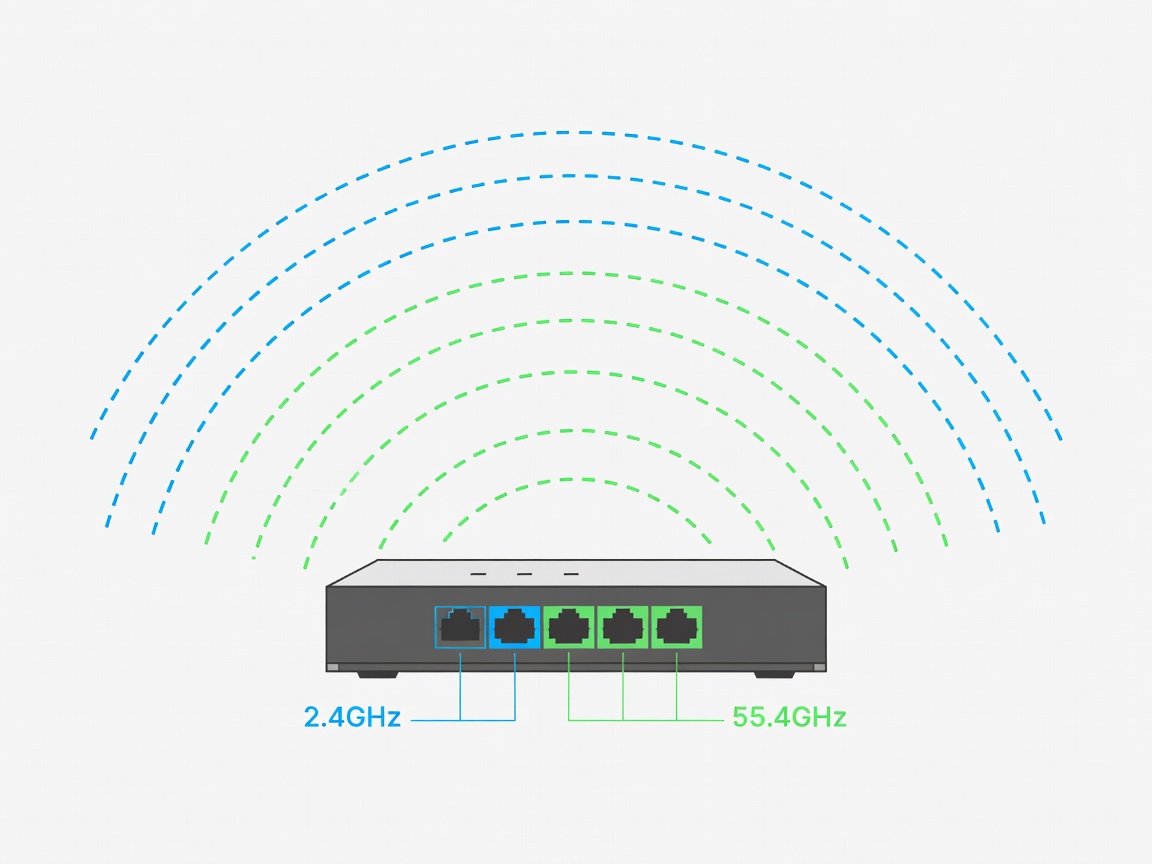
The device supports only 2.4 GHz, and your router advertises 2.4 and 5 GHz under one combined name, steering the setup phone to 5 GHz.
Most low-cost smart-home devices use 2.4 GHz radios because they are cheap, power-efficient and reach further. Routers and mesh systems increasingly use “band steering”, combining bands under one name. During setup, the phone app hands the device the network details while the phone itself sits on 5 GHz, and the handshake fails.
Fixes, from least to most effort: stand further from the router during setup so the phone drops to 2.4 GHz; temporarily disable 5 GHz while pairing; or create a separate 2.4 GHz-only network for smart devices, which many routers offer as an “IoT network” (Internet of Things).
Wi-Fi generations at a glance
Every Wi-Fi generation is backward compatible: a Wi-Fi 6 router still serves a Wi-Fi 4 device, at Wi-Fi 4 speeds. Older devices, however, can slow the airtime available to everyone else.
| Name | Standard | Bands | Certification year |
|---|---|---|---|
| Wi-Fi 4 | IEEE 802.11n | 2.4 / 5 GHz | 2009 |
| Wi-Fi 5 | IEEE 802.11ac | 5 GHz | 2013 |
| Wi-Fi 6 | IEEE 802.11ax | 2.4 / 5 GHz | 2019 |
| Wi-Fi 6E | IEEE 802.11ax | 2.4 / 5 / 6 GHz | 2021 |
| Wi-Fi 7 | IEEE 802.11be | 2.4 / 5 / 6 GHz | 2024 |
The 6 GHz band is only usable if both router and device support Wi-Fi 6E or 7, and regulatory availability differs by country.
Not everything uses Wi-Fi
Battery sensors, door contacts and many bulbs use low-power mesh protocols. They cannot join your Wi-Fi directly; a hub, bridge or border router translates for them.
| Protocol | Radio | Needs | Typical devices |
|---|---|---|---|
| Wi-Fi | 2.4 / 5 / 6 GHz | Router only | Cameras, plugs, speakers |
| Bluetooth LE | 2.4 GHz | Phone or hub nearby | Locks, trackers, setup links |
| Zigbee | 2.4 GHz mesh | Zigbee hub / coordinator | Bulbs, sensors, switches |
| Z-Wave | Sub-GHz (868 MHz EU, 908 MHz US) | Z-Wave hub | Locks, thermostats, sensors |
| Thread | 2.4 GHz IPv6 mesh | Thread border router | Sensors, blinds, plugs |
| Matter | Runs over Wi-Fi, Thread, Ethernet | Matter controller | Cross-brand devices |
Zigbee shares the 2.4 GHz band with Wi-Fi; choosing Zigbee and Wi-Fi channels that do not overlap reduces dropouts. Matter, released in 2022 by the Connectivity Standards Alliance, is an application layer: it lets an app from one brand control a device from another, but the device still needs Wi-Fi, Thread or Ethernet underneath.
Security modes that lock out older devices
WPA3 (Wi-Fi Protected Access 3) is the current security standard. Devices built before roughly 2019 often understand only WPA2. If your router is set to “WPA3 only”, they will see the network but fail to join. “WPA2/WPA3 transition mode” serves both. Anything that demands WEP or the original WPA should be retired or isolated, because those methods are no longer considered secure.
Pairing checklist
- Confirm which bands and protocols the device lists on its box or manual.
- Keep the phone on the same network you want the device to join.
- Temporarily turn off VPN apps and mobile data on the setup phone.
- Avoid special characters or emoji in the network name during setup.
- Perform setup in the room where the device will live, then check the signal there.
When devices cannot find each other
Printers, casting sticks and smart speakers announce themselves with discovery protocols such as mDNS (multicast DNS). Guest networks and “client isolation” deliberately block this, and some mesh systems put new devices on a separate segment. If a printer disappears, check that the printer and the computer are on the same network and the same subnet — usually the same first three numbers of their IP addresses. If problems persist, continue to Isolate the fault calmly.